Client automations for coaches. Sent as you.
A client goes quiet for five days and gets a nudge from you, without you remembering. A new client accepts your invite and finds their program, your welcome and an intake form already waiting. Set it up once and hiignite does the follow-up in your own chat thread, in your name.
// Included in Pro and Unlimited. No add-on, no price per automated client.
Three jobs you stop doing by hand
These replace the reminders in your head, the notes app and the Sunday evening scroll through WhatsApp.
The client who went quiet
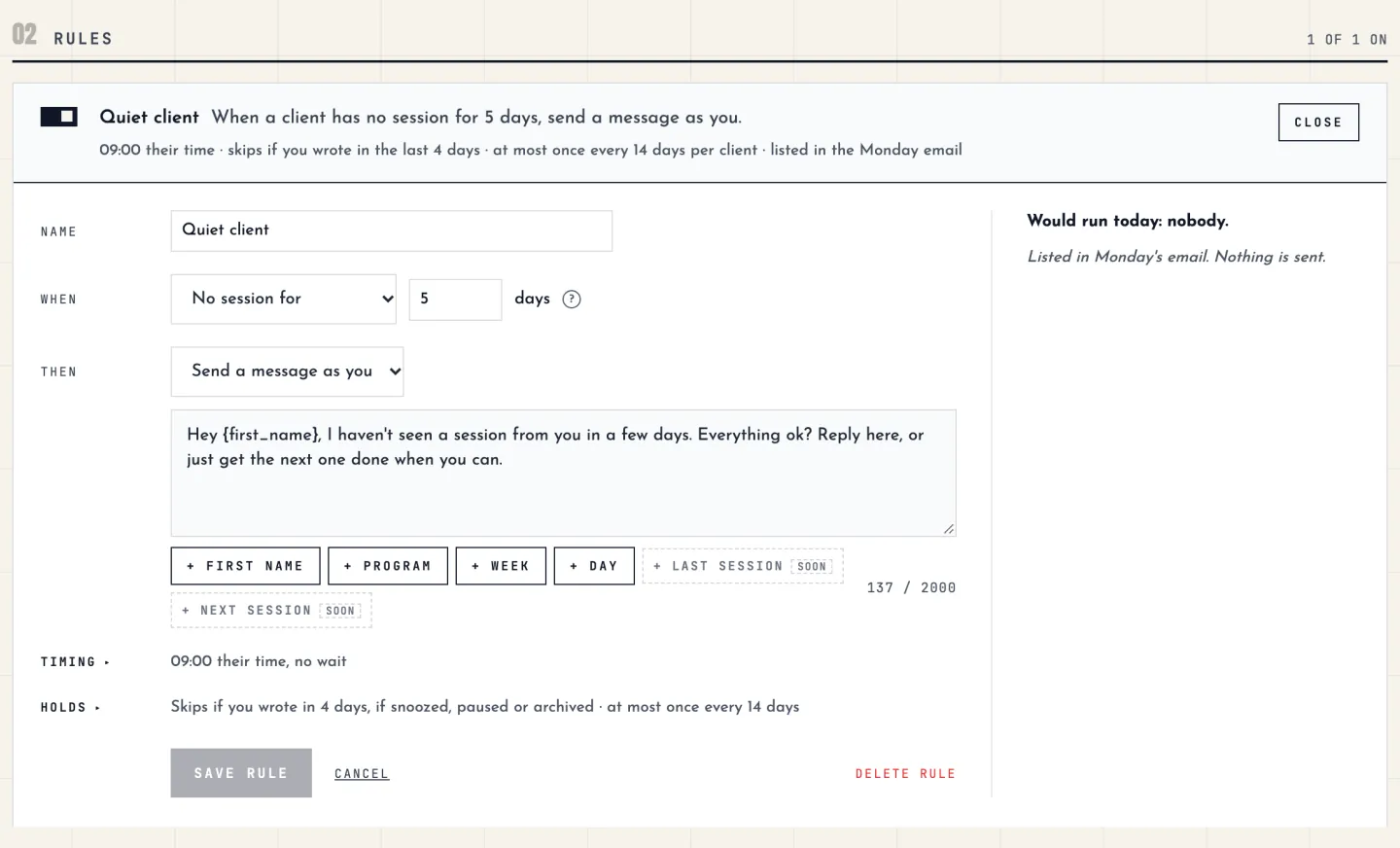
No session logged for five days? They get a message from you at 09:00 their time. If you already wrote to them this week, the rule stays out of it.
The client who just joined
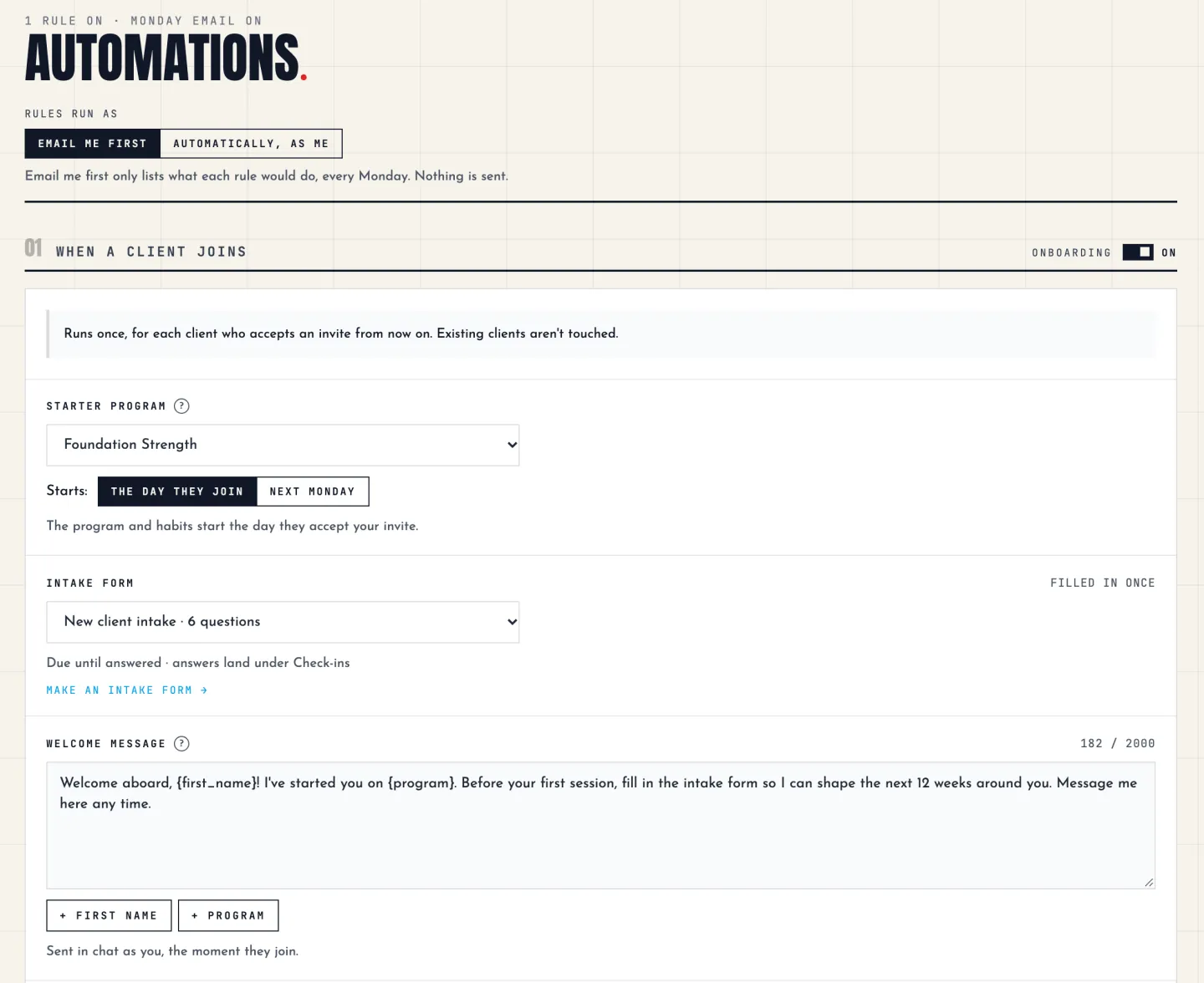
The moment they accept your invite they have a starter program, your welcome message, an intake form and a few starter habits. Their first look at the app is never an empty screen.
The check-in you always forget
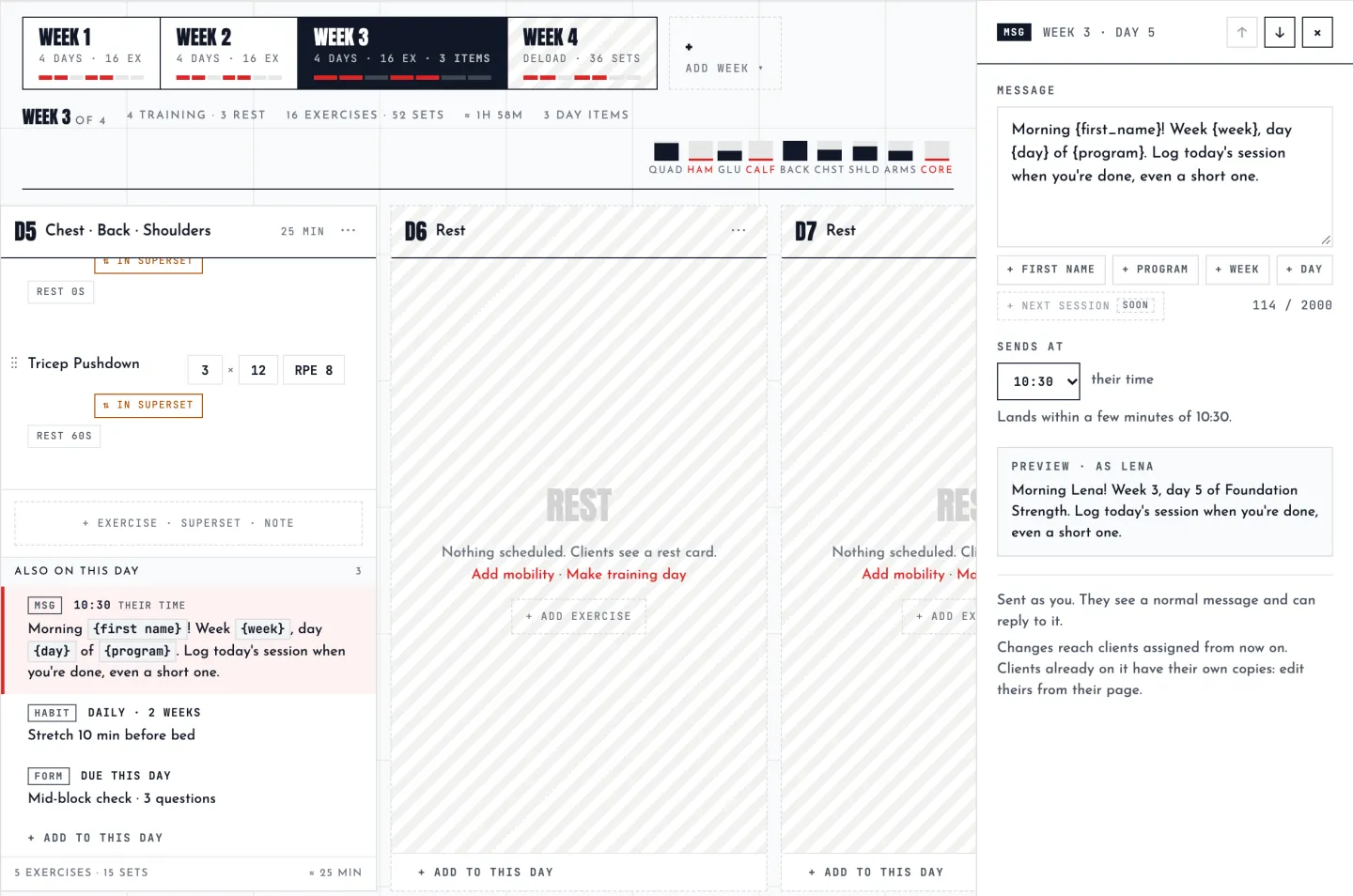
“Day 3: how did the first sessions feel?” and “Week 4: progress form” are written once in the program. Every client gets them on their own day, on their own clock.
Four pieces, all in plain language
There is no flowchart to draw. You can read any of this six months later and still know what it does.
When a client joins
Choose a starter program, an intake form, a welcome message and a few starter habits. The welcome can fill in the client’s first name and their program. All of it is applied when they accept your invite, and the program starts the day they join or the next Monday.
Messages, forms and habits on the days you choose
A program day can carry more than the workout: a message, a one-off check-in form, a habit that runs for as many weeks as you set, or a note. Write them once in the library program and every client gets them on their own day, at the time you set, in their own time zone.
If a client is paused, nothing piles up. An item that is too late is skipped and logged, not sent in a burst later.
Rules for what clients don’t do
A rule is one trigger, one wait and one action. Triggers: gone quiet, block ending soon, block ended, check-in overdue, habit streak reached, and joined. Actions: send a message, give a form, add a habit, or start the next program.
Rules start in Email me first: they only report what they would do, and nothing is sent. When you trust them, switch to Automatically, as me.
Your roster in one read, and one message to many
On Monday morning you get one email: who is slipping, who has gone quiet, whose block ends, and what your rules did or would do. Broadcasts send one message to all your clients, a roster group, or everyone on one program. Each client gets it as a normal one-to-one message in their own thread, never a group chat, at the local time you picked.
The guard rails
- Everything sends as you. An automatic message is an ordinary chat message in your thread with that client.
- A rule stays quiet if you wrote to that client in the last few days, and it never acts in their evening or night: only from its send time until 21:00, their time.
- Every client’s page has a log of what went out and why, and a switch: On, Snooze 7 days or Off.
- Pausing a client shifts their plan. When you resume, their training and every program-day item move by the days they were paused.
Questions
No. They are in Pro and Unlimited at no extra cost. There is no add-on and no price per automated client or per message.
It arrives as an ordinary chat message from you, in the same thread you already write in, so it reads like their coach writing. You write the words yourself, and you can see everything that went out in the log on each client’s page.
Yes. Rules start in Email me first, where they only list what they would do in your Monday email. Each rule also has a “Would run today” preview that shows which clients it would reach, and when.
Yes, two ways. Put a check-in form on a program day, such as week 4, and every client on that program gets it on their own day. Or add a rule: when a check-in is overdue, send a message.
Nothing is sent, and nothing piles up for later. When you resume them, their training and their program-day items move by the days they were paused. After a pause of 14 days or more, you are asked whether to continue or restart the block.
Yes. Each client’s page has a switch for On, Snooze 7 days or Off.
No, on purpose. A rule is one trigger, one wait and one action, written as a sentence. A few presets are there when you first open the page.
Automations come with every plan.
hiignite is coaching software for personal trainers and online coaches. Set up what every new client gets, write the program once, and let it reach each client as you. 14 days free, then Pro from $29/mo with 10 clients included.