On-demand programs and resources, in your clients’ app.
A client finishes their block on a Friday night and starts the next program themselves, without waiting for you. Your technique videos and handouts sit one tap away in their app, not in a Drive link from three months ago. You see who started what, and who opened what.
// Self-serve programs and a resources shelf. Included in Pro and Unlimited, no add-on.
Three ways coaches use it
You already have the programs and the videos. This puts them where your clients can reach them without a message from you each time.
“What do I do when my block ends?”
Mark a few library programs as ones clients can start. When a block ends, the client’s Home screen offers them, and they tap Start today.
The warm-up video you keep resending
Share a folder of technique videos once. Every client you have, and every client who joins later, finds it under Resources with your note under each item.
The handout nobody read
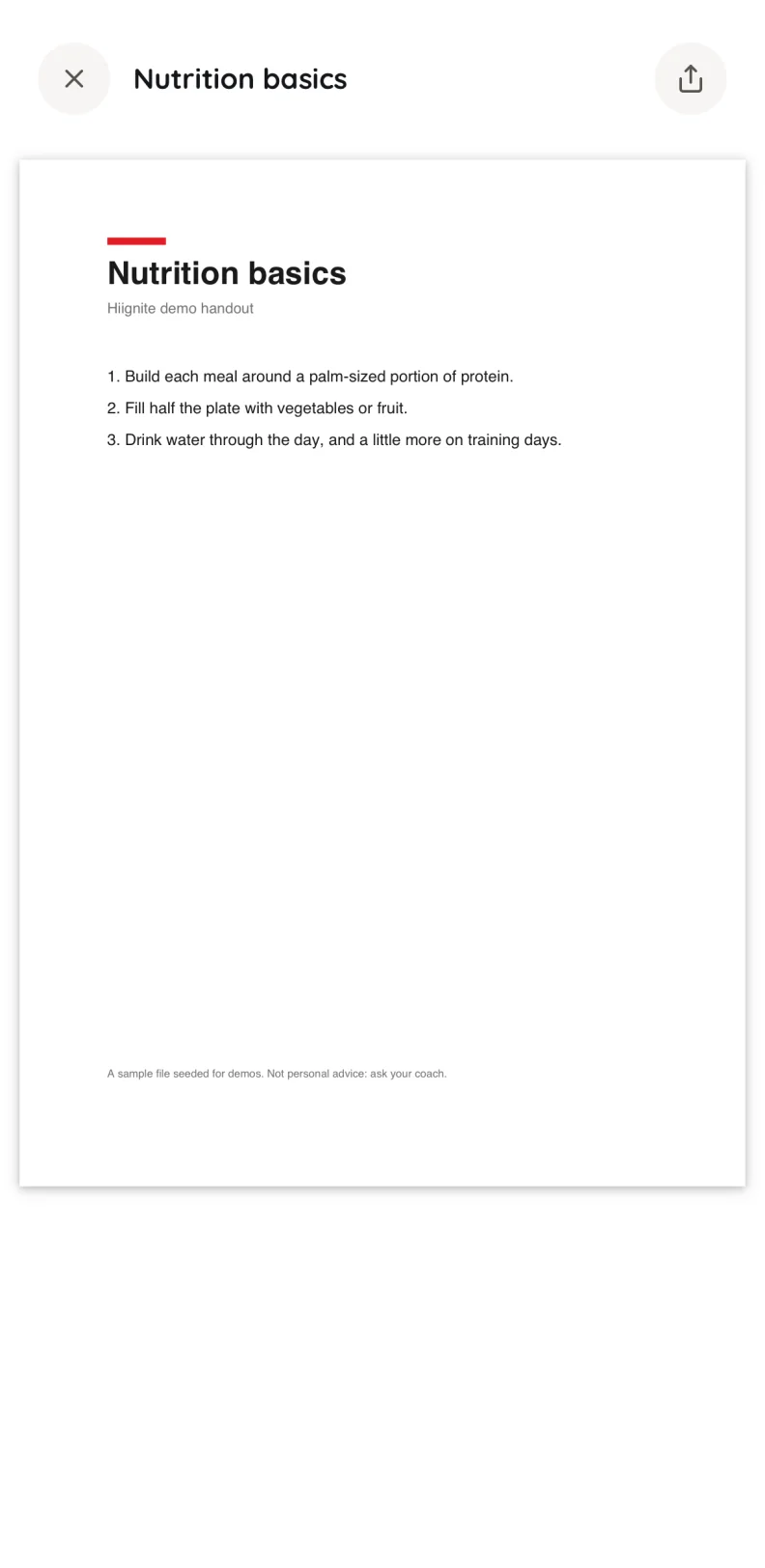
Upload the PDF, share it, and see “Opened twice, last today” or “Not opened yet” against each client. You know who to ask before the next session.
Programs they start, resources they open
Both live where your work already is: the Programs page and the Library in your dashboard.
Programs clients can start themselves
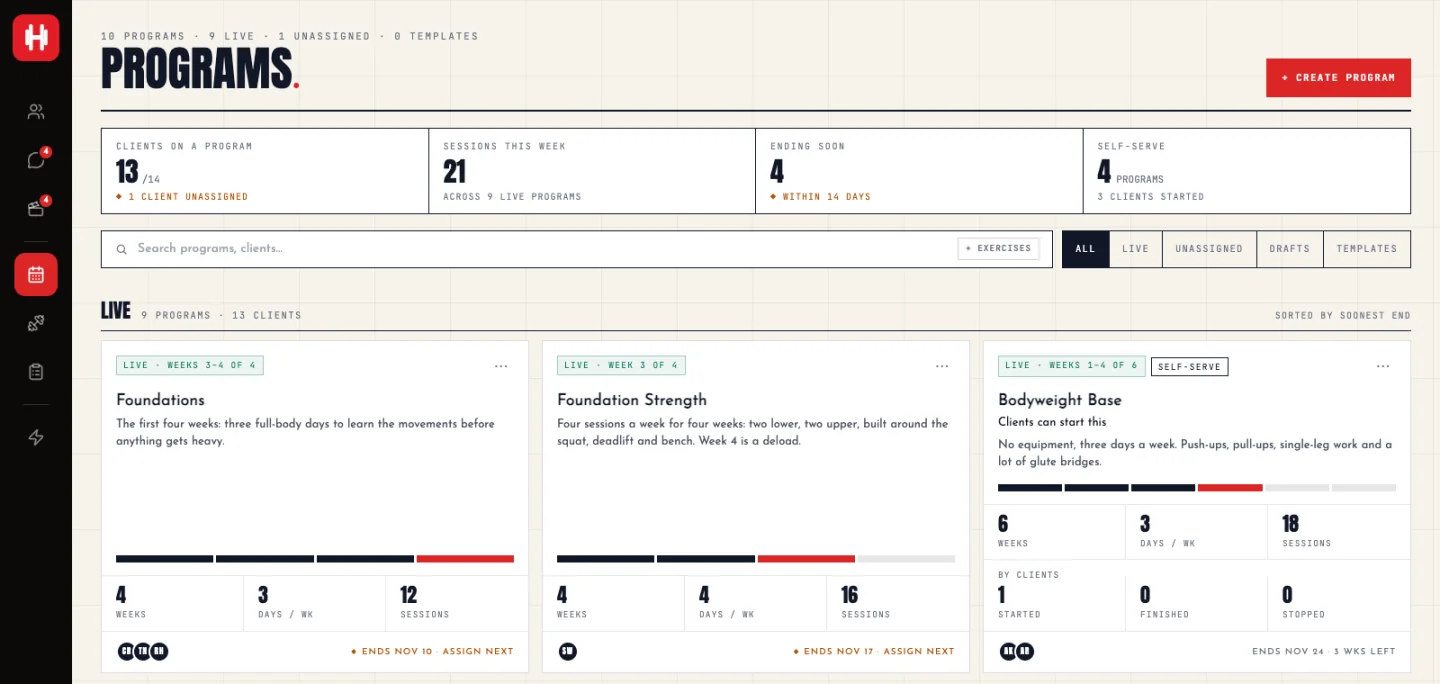
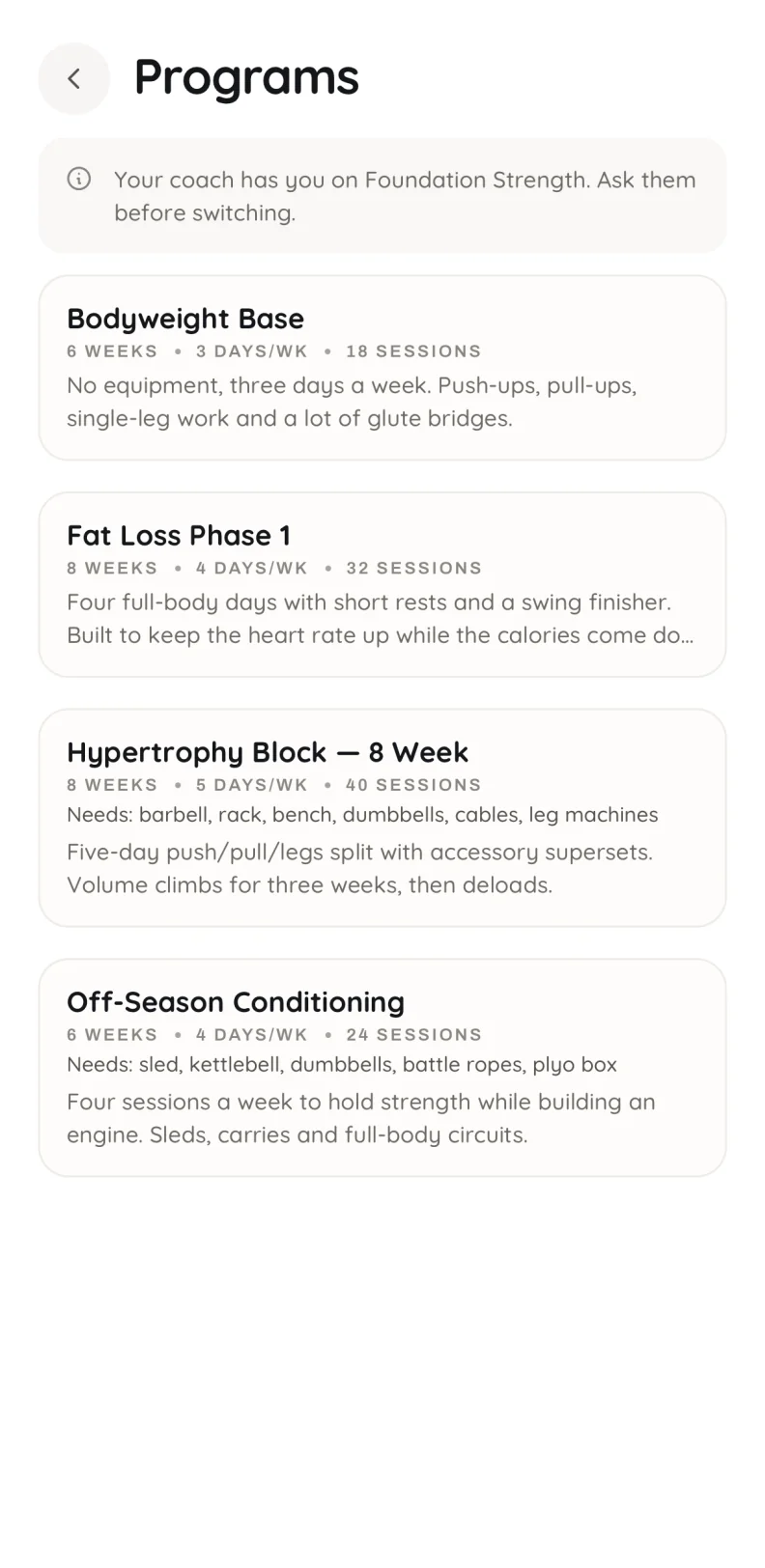
On Programs, mark a published library program Clients can start this. Clients find it under Browse programs, with its weeks, days per week, sessions, equipment and your description, and tap Start today.
Starting gives the client their own copy, exactly as when you assign a program, so your library program never changes. While you have a client on a block, Browse programs tells them so and nothing starts. That stays your call.
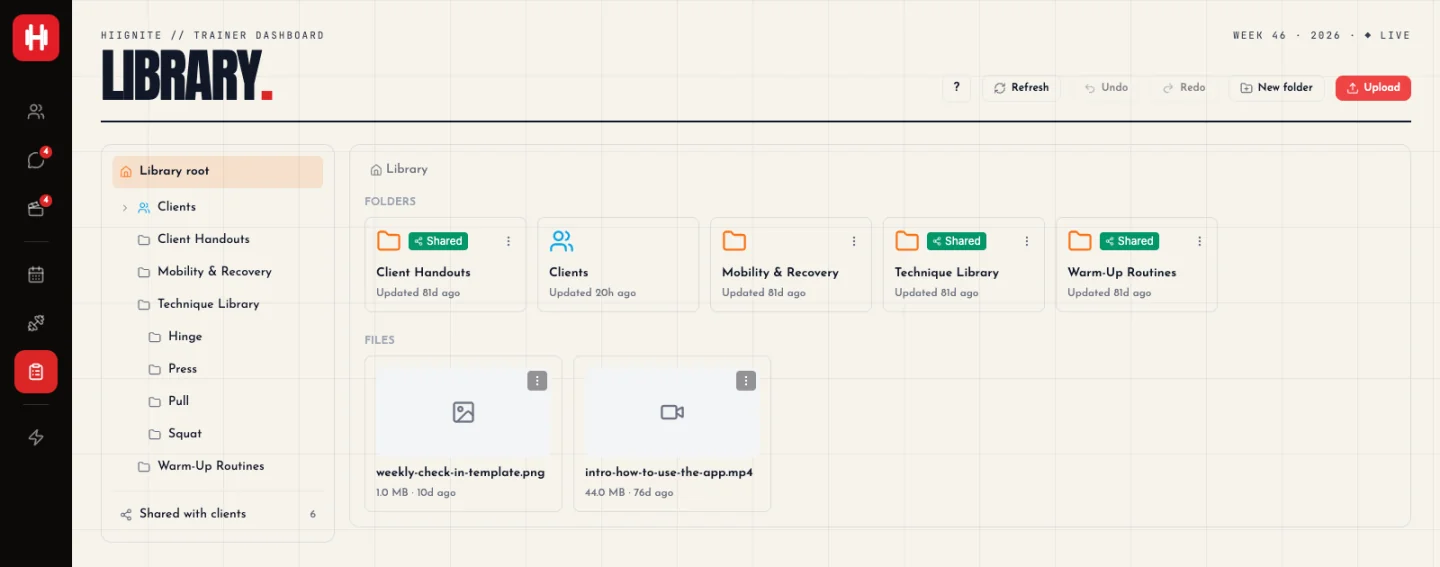
Share from your library
Share a file (a video, an image or a PDF), a whole folder, or a link. A shared folder stays shared: files you add to it later go out with it. A share reaches every client you have, now and in future, or one client you pick.
Give it a title and a short note, such as “Do one before every session. Five minutes is enough.” The note shows under the item on their phone.
Who started, who opened
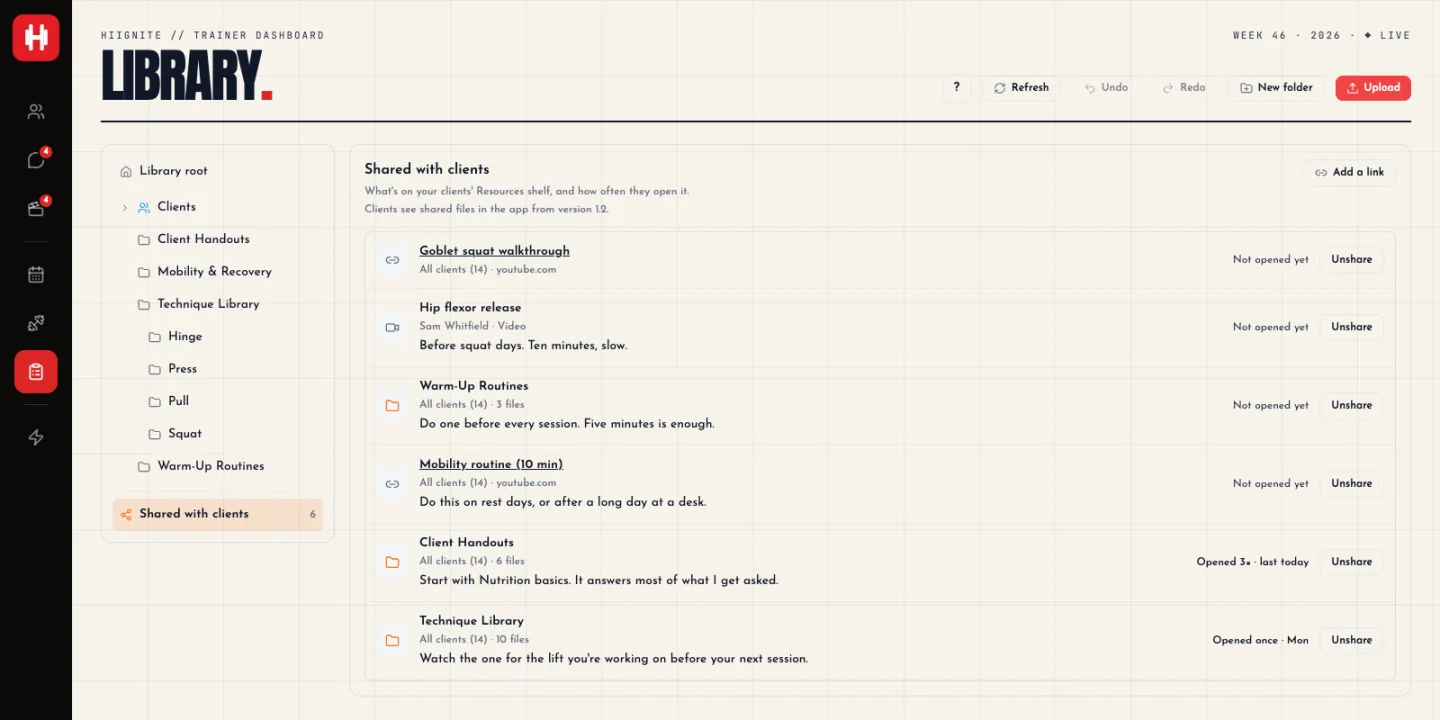
Every share is in one list: who it reaches, how often it was opened and when, with Unshare beside it. Each self-serve program counts how many clients started, finished and stopped it. A client who started on their own shows as Self-started on your roster.
What your clients see
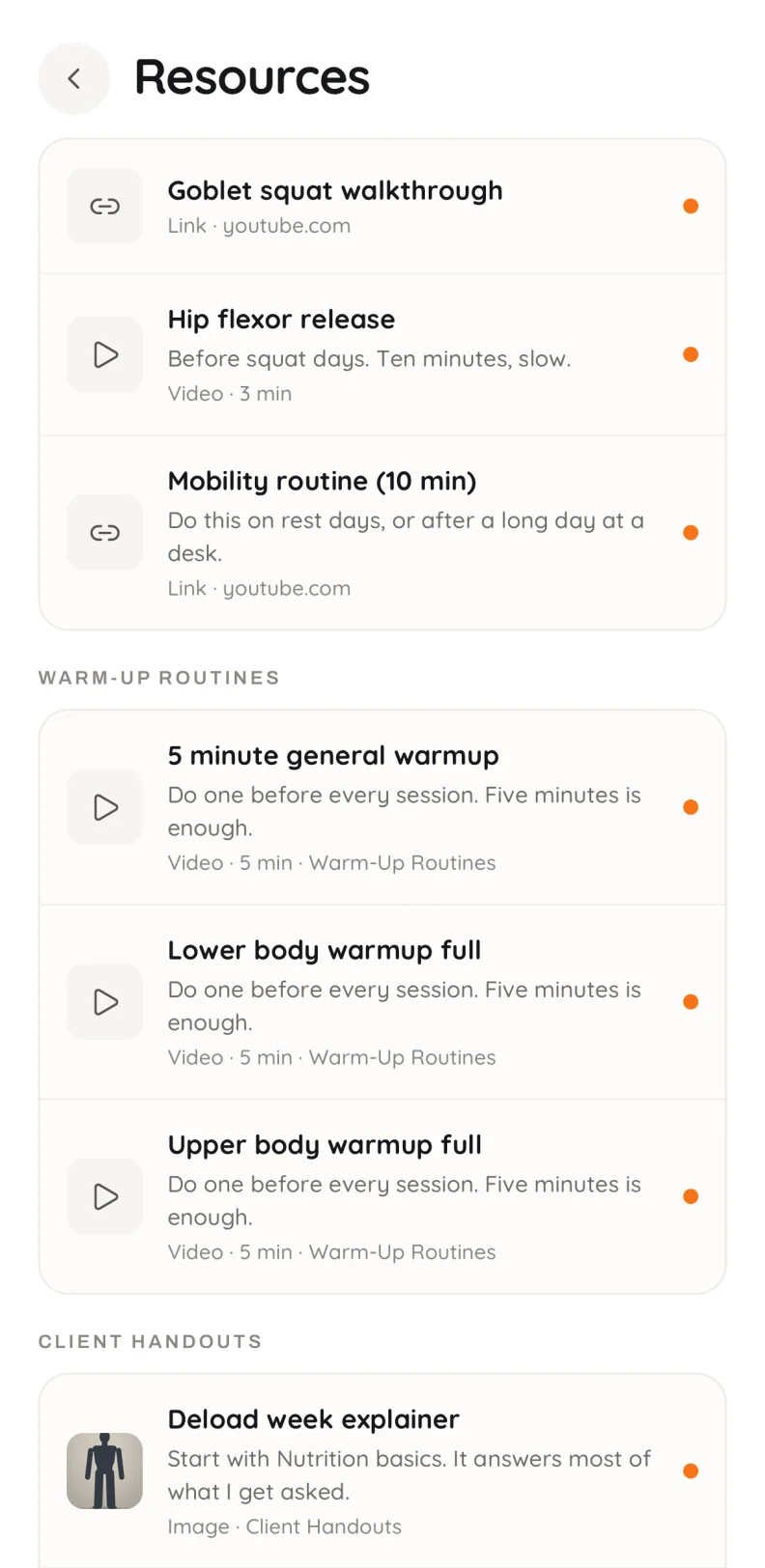
Home has a From your coach card with the newest items. The whole shelf is under Resources, grouped by your folders. Videos, images, PDFs and links all open inside the app.
What stays private
- Only your own uploads can be shared. Form-check videos, progress photos and clients’ private folders never can.
- A client only sees programs you marked as ones they can start. The rest of your library stays yours.
- When a client switches or stops a program, their logged sessions are kept.
Questions
No. Self-serve programs and resources are in Pro and Unlimited at no extra cost.
Not yet. Today, on-demand programs and resources are for the clients on your roster. What a client pays you for coaching is a subscription you set up through your own Stripe account, and it covers everything you offer them.
No. While you have a client on a block, Browse programs tells them so and nothing starts. They can start one when their block has ended or when they have no program.
No. They get their own copy, the same as when you assign a program, so you can tailor it for them and your library program stays as it is.
Videos, images and PDFs from your library, whole folders, and links to anything on the web. You can share with every client or with one.
hiignite 1.2 or newer, on iPhone and Android. The dashboard side works today in your browser.
Yes. Opening an item is recorded, so each share shows how often it was opened and when, and each client’s page has a Resources card with what they opened.
On-demand comes with every plan.
hiignite is coaching software for personal trainers and online coaches. Share your videos and handouts once, offer programs clients can start on their own, and see what they open. 14 days free, then Pro from $29/mo with 10 clients included.